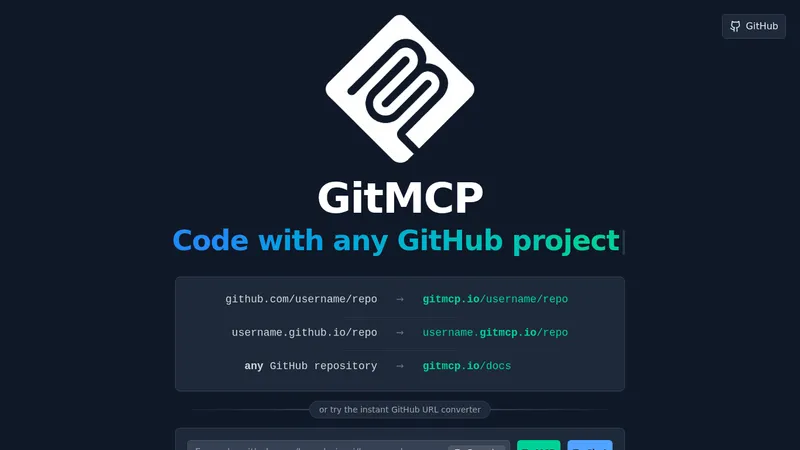
GitMCP
gitmcp.io- Good for
- Builders
- Category
- Development Tools
- Lets you
- Turn a GitHub repository URL into an MCP server URL

memex.tech
Memex is a platform for building prototypes and applications from natural language prompts, with options for guided step-by-step building or automated project scaffolding. Project files are stored locally on the user's desktop.
Visit website (opens in a new tab)Memex is an innovative platform designed to transform your ideas into tangible products quickly and efficiently. With a focus on simplicity and speed, Memex allows users to build prototypes and applications without needing to write code. It utilizes advanced AI technologies to facilitate project development through natural language inputs, making it a versatile tool for various individuals and teams.
One of the standout features of Memex is its ability to expedite the prototyping process. Users can create and test their concepts in a fraction of the time it typically takes. Rather than requiring extensive programming knowledge or resources, Memex invites anyone to contribute to the development of applications, tools, or even 3D designs efficiently and effortlessly.
To help users kickstart their projects, Memex offers a diverse array of templates known as the "Memex Universe." These templates serve as starting points for various use cases and can be tailored to fit individual needs. By exploring these templates, users can easily tap into existing frameworks and shortcuts, significantly reducing the time required to begin building their ideas.
Memex is designed to accommodate users of varying expertise. For those who prefer a hands-on, guided approach, the platform enables a step-by-step process for learning and execution. Alternatively, users can opt for automated project scaffolding, where the AI takes the lead in constructing the project based on user-defined parameters. This dual approach fosters accessibility while maintaining an engaging building experience.
Regardless of the chosen programming language or framework, Memex empowers users to build applications across any tech stack. This flexibility is essential for businesses and developers looking to innovate quickly, as they can deploy their creations without being restricted to a specific ecosystem.
Memex features two primary modes: chat mode and build mode. Chat mode provides an interactive space for brainstorming and planning, allowing users to discuss ideas and refine concepts. Conversely, build mode focuses on execution, where users can code and issue commands directly. This versatility equips individuals with the tools they need to navigate their projects at their own pace.
One of Memex's key strengths is its balance of autonomy and user control. Users have the option to approve or deny commands that Memex suggests, ensuring that they remain informed and in charge of the project development process. For those who trust the AI's capabilities, they can let Memex autonomously build and develop projects, streamlining the workflow further.
Privacy is paramount with Memex. Users maintain ownership of their project files, which are stored locally on their desktops. This feature ensures that users' creations and code are secure and private, eliminating concerns about data breaches or unauthorized access. Moreover, users can define custom rules and guidelines for how the AI interacts with their projects, tailoring the experience to fit their unique needs.
Memex has garnered a reputation as a favorite among high-efficiency professionals—termed "10Xers." Testimonials highlight the platform's potential to revolutionize workflow. Users report achieving in days what would typically require significant resources and time, including the equivalent of a multi-person engineering team's output. The platform empowers individuals to maximize their productivity and creativity.
Memex is particularly useful for a broad spectrum of users:
Memex redefines what it means to build applications and prototypes by offering an inclusive platform that prioritizes speed, creativity, and control. Its natural language processing capabilities, combined with the freedom to create in any programming language or framework, positions it as a go-to tool for anyone looking to innovate and bring ideas to fruition.
Whether you are a seasoned developer, a curious novice, or an entrepreneur looking to get ahead, Memex provides a pathway to build without barriers. It's time to transform your concepts from mere thoughts into reality with the power of Memex—download the application today and start building your future.
Ready to try it? Visit memex.tech (opens in a new tab)