OmniGen2: Exploration to Advanced Multimodal Generation
Overview
OmniGen2 is an advanced multimodal generative model developed by VectorSpaceLab. It represents a significant improvement over its predecessor, OmniGen v1, by incorporating distinct decoding pathways for text and image modalities, allowing for independent processing of these types of data.
The primary features of OmniGen2 focus on enhancing visual understanding, generating images based on textual descriptions, conducting instruction-guided image editing, and enabling in-context generation, where the model can creatively combine diverse inputs to produce coherent outputs. The model is backed by comprehensive documentation, including setup instructions, tips for optimal usage, and an active demonstration platform.
Core Features
Visual Understanding
OmniGen2 is built upon the robust visual grounding capabilities derived from its Qwen-VL-2.5 foundation. This allows it to interpret and analyze various visual inputs effectively.
Text-to-Image Generation
The model excels at creating high-fidelity images from textual prompts, which can be incredibly useful for tasks that require visual representations of ideas or narratives.
Instruction-Guided Image Editing
With state-of-the-art capabilities in image modification, users can provide complex instructions to edit images precisely, achieving visually appealing results.
In-Context Generation
This feature empowers OmniGen2 to integrate diverse inputs, including human references or objects within scenes, and create unique visual outputs based on those combinations.
Usage Scenarios
OmniGen2 is particularly useful in various fields:
- Creative Industries: Artists and designers can use OmniGen2 to generate inspirational visuals or assist in creating artworks based on their ideas or requirements.
- Education: Educators can leverage the tool to create illustrative content that complements their teaching material or engages students with interactive visual stories.
- Marketing and Advertising: Marketing professionals can utilize the model to quickly develop high-quality visuals for campaigns and promotional materials.
- Research: Researchers studying machine learning, computer vision, or AI can use OmniGen2 as a case study or a practical tool for generating visual data.
Getting Started
Environment Setup
To get started with OmniGen2, users need to clone the repository and set up their environment:
- Clone the repository:
git clone [email protected]:VectorSpaceLab/OmniGen2.git
cd OmniGen2
- Create a clean Python environment (optional):
conda create -n omnigen2 python=3.11
conda activate omnigen2
- Install dependencies:
pip install torch==2.6.0 torchvision --extra-index-url https://download.pytorch.org/whl/cu124
pip install -r requirements.txt
Running Examples
Users can run predefined scripts to test out the main functionalities:
- Visual Understanding: Execute
example_understanding.sh.
- Text-to-Image Generation: Use
example_t2i.sh.
- Instruction-Guided Image Editing: Run
example_edit.sh.
- In-Context Generation: Start
example_in_context_generation.sh.
Online Demo
OmniGen2 also provides an online demo through Hugging Face Spaces, allowing users to experiment without needing a local setup. Users can access various demo links to test different functionalities directly:
Tips for Optimal Use
To get the best results from OmniGen2, users should consider adjusting several hyperparameters based on specific use cases:
- Text Guidance Scale: Adjusts how strictly the output adheres to the text prompt.
- Image Guidance Scale: Influences how closely the output mirrors input images.
- Max Pixels and Image Size: Ensure reasonable limits to manage performance and memory usage.
- Negative Prompts: Specify undesired elements within the output to steer the model in the right direction.
Limitations
While OmniGen2 significantly enhances generation quality, some limitations remain. The model may not always adhere strictly to user instructions, and there can be discrepancies in output sizes. Adjusting the number of generated images or providing more detailed instructions is often necessary to improve results.
Resource Requirements
Running OmniGen2 effectively requires substantial computational resources, typically an NVIDIA RTX 3090 or equivalent with around 17GB of VRAM. For users with lower VRAM, the model can enable CPU offload to help run efficiently.
Community Contributions
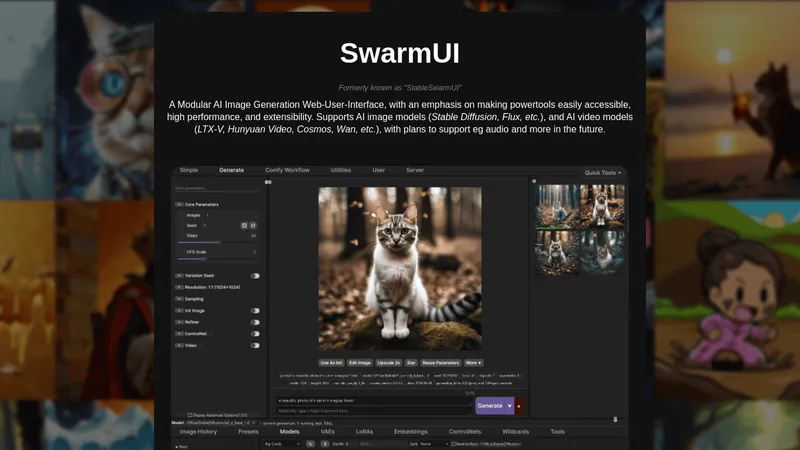
The OmniGen2 project has garnered community support, leading to unofficial implementations and applications that enhance its capabilities. Contributions through platforms like ComfyUI highlight the model's versatility and extend its functionality beyond official releases.
Citation
If you find OmniGen2 beneficial for your work, consider citing it in your research:
@article{wu2025omnigen2,
  title={OmniGen2: Exploration to Advanced Multimodal Generation},
  author={Chenyuan Wu et al.},
  journal={arXiv preprint arXiv:2506.18871},
  year={2025}
}
Conclusion
OmniGen2 stands as a remarkable tool in the realm of generative models, showcasing powerful capabilities that cater to a wide range of applications across various fields. Its user-friendly setup and comprehensive documentation make it accessible for both novices and experienced users, paving the way for innovative visual content creation.