Goose
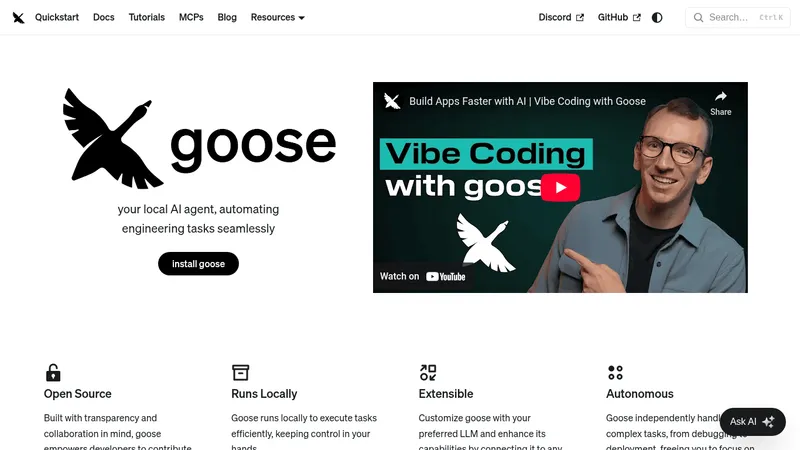
block.github.io- Good for
- Builders
- Category
- AI Agents
- Lets you
- Automate engineering tasks such as debugging and code deployment

github.com
An open-source GitHub repository providing a template for a continuously running voice assistant for engineering and development tasks. It combines Deepseek-V3 for reasoning, RealtimeSTT for speech input, and ElevenLabs text-to-speech for spoken responses.
Visit website (opens in a new tab)The repository titled Always-On AI Assistant by the user disler presents a beneficial framework for developing an AI assistant that operates continuously. This implementation is designed specifically for engineering applications, leveraging several advanced technologies such as Deepseek-V3, RealtimeSTT (Real-time Speech-to-Text), and Typer. The project aims to create a seamless interaction interface that harnesses the power of artificial intelligence, enabling users to receive assistance and execute commands efficiently.
The primary goal of the Always-On AI Assistant is to provide a reliable and responsive AI assistant capable of facilitating various engineering processes. By utilizing Deepseek-V3, the AI assistant can analyze and interpret data effectively, while RealtimeSTT ensures accurate voice recognition, and Typer allows for command processing and execution. This setup is particularly useful for engineers and developers who need to streamline their workflows, enhance productivity, and integrate AI-driven insights into their daily tasks.
Deepseek-V3: This component functions as the core intelligence engine, processing user inquiries and generating actionable responses.
RealtimeSTT: This real-time speech-to-text system enables users to interact with the assistant verbally, making the experience more intuitive and hands-free.
Typer: This module supports command execution, allowing users to give the assistant commands that can interact with files and systems, thereby automating repetitive tasks.
The architecture of the assistant comprises several important modules:
Typer Assistant:
scratchpad.txt that the assistant can reference for improved context understanding.Base Assistant:
To utilize the Always-On AI Assistant, users must perform the following steps:
.env.sample to create an .env file and update it with the necessary API keys for Deepseek and Eleven.uv sync.The assistant can execute commands introduced verbally by the user. Users can initiate commands such as "Hello! Ada, ping the server and wait for a response," which will appear in the scratchpad as the assistant processes them.
The Always-On AI Assistant has a wide range of applications, particularly in the following areas:
Engineering: Engineers can leverage the assistant to receive instantaneous support while working on projects, eliminating the need for constant switching between applications and tools.
Software Development: Developers can use this assistant to automate coding tasks, check system statuses, and facilitate troubleshooting through voice commands, enhancing their productivity and reducing the cognitive load associated with manual operations.
Research and Prototyping: In research environments, the assistant can aid in rapid prototyping by executing commands that analyze datasets and generate insights, thus accelerating the development cycle.
The GitHub repository disler/always-on-ai-assistant provides a modern and useful template for creating an always-on AI assistant built for engineering and development purposes. By integrating advanced technologies such as Deepseek-V3, RealtimeSTT, and Typer, this project significantly enhances user interaction with intelligent systems. The potential use cases extend across various domains, providing immense value to engineers, developers, and researchers. With straightforward setup instructions and practical command interaction, this tool can operate as an indispensable resource for optimizing workflows and driving productivity.
Ready to try it? Visit github.com (opens in a new tab)