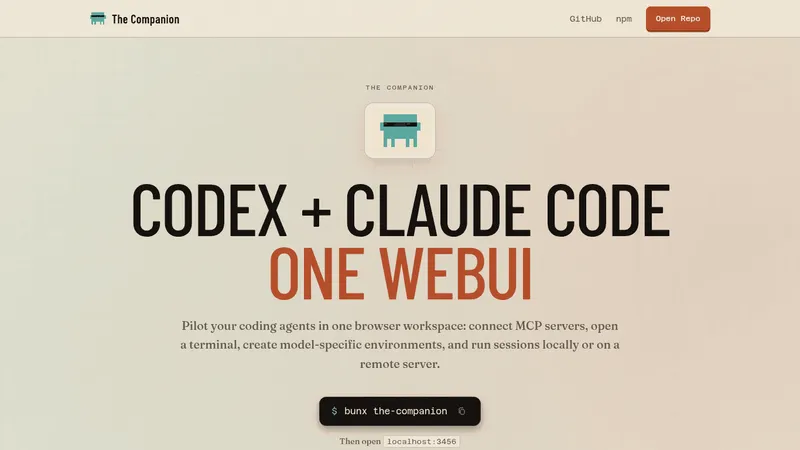
The Companion
thecompanion.sh- Good for
- Builders
- Category
- Development Tools
- Lets you
- Run several Claude Code and Codex sessions in one browser workspace

skills.sh
A platform for discovering and installing reusable skills that extend AI agents such as Claude Code, Cursor and Codex. Skills are added with a single command, and a leaderboard ranks skills by install counts.
Visit website (opens in a new tab)The Agent Skills Directory is a platform designed to enable users to discover, install, and enhance the functionalities of AI agents through the integration of reusable skills. This directory empowers developers and AI enthusiasts to augment their agents with procedural knowledge, thereby expanding the capabilities and overall effectiveness of various AI applications.
Skills in the context of AI agents are modular capabilities that can be easily added to enhance the agent's performance. They provide procedural knowledge that can be leveraged for specific tasks such as data handling, user interaction, design principles, and other customized functionalities. The installation process is straightforward and can be completed with a single command, making it user-friendly for both novice and experienced developers.
To install a skill, the command is:
$npx skillsadd<owner/repo>
This command grants immediate access to the skills repository, allowing developers to integrate the desired functionalities into their AI agents quickly and efficiently.
The directory supports a diverse range of AI agents, indicating its versatility across different platforms and technologies. Some notable agents that can utilize skills from this directory include:
This comprehensive list illustrates the directory's wide applicability, allowing a variety of agents catering to different functionalities, from coding support to creative design assistance.
The Agent Skills Directory features a leaderboard that highlights the most popular skills based on installation numbers. The leaderboard includes categories for:
For example, some top skills include:
This leaderboard serves as a resource for developers seeking to utilize effective and proven skills, enhancing their project outcomes.
The Agent Skills Directory is an invaluable resource for several user groups:
Developers - It provides developers with a repository of modular skills that can be integrated seamlessly into their AI applications. The ease of installation simplifies the development process and allows for rapid prototyping and deployment of AI functionalities.
Businesses - Companies can leverage this directory to enhance their AI-driven products, ensuring that they remain competitive in a technology-driven market. The skills can add sophisticated features to their offerings without extensive resource allocation for development.
AI Enthusiasts and Hobbyists - Individuals exploring AI and machine learning can benefit from the directory's resources, learning from established skills while also experimenting with their modifications.
Educators and Students - Offering a rich educational resource, this directory can facilitate learning about AI skills, their applications, and practical integration into software projects.
The Agent Skills Directory serves as a leading platform for discovering and utilizing skills tailored for AI agents, offering significant advantages in functionality and accessibility. By simplifying the process of skill installation and supporting a broad range of platforms, it facilitates enhanced user experience while allowing both new and seasoned developers to innovate. Whether for personal projects or business applications, this directory stands as a crucial tool in the landscape of AI development, making advanced capabilities readily accessible to a diverse user base.
Ready to try it? Visit skills.sh (opens in a new tab)